

Most Microsoft 365 breaches do not happen because Conditional Access is unavailable. They happen because it is misconfigured, inconsistently applied, or never tested against real-world attack paths.
In the modern enterprise landscape, Microsoft 365 (M365) serves as the operational backbone for corporate communications, file storage, financial workflows, and sensitive collaboration. Systems like Exchange Online, SharePoint, OneDrive, Microsoft Teams, and Windows 365 house the crown jewels of enterprise intellectual property. Because traditional corporate networks have dissolved, identity has definitively emerged as the new security perimeter. Consequently, Microsoft Entra Conditional Access has become one of the most critical security controls within your cloud architecture.
At its core, Conditional Access operates as an intelligent “if-then” policy engine. If a user, device, location, or application meets a specific set of criteria, then the system enforces an explicit access decision—whether that means allowing the connection, blocking it entirely, requiring Multi-Factor Authentication (MFA), or restricting the user session. Microsoft explicitly positions Conditional Access as the central policy evaluation engine for enforcing Zero Trust decisions across all cloud access scenarios. It aggregates contextual signals to dynamically verify every single request.
However, having the tool available is not the same as being secure. Many enterprises operate under a false sense of security, assuming that simply enabling a few basic rules shields them from advanced threats. In reality, minor gaps, forgotten exceptions, and legacy bypasses frequently leave organizations highly vulnerable to modern identity attacks.
In this strategic blueprint, we break down the top five Conditional Access mistakes that quietly leave Microsoft 365 tenants exposed — and how enterprises can fix them before they become audit findings, ransomware entry points, or account takeover incidents.
| Is Your Identity Perimeter Truly Secure? Don’t wait for an audit failure or a security incident to discover hidden gaps in your authentication policies. Contact our team today to request a comprehensive Microsoft 365 Security Review and ensure your tenant is fully hardened. |
Why Conditional Access Matters for Microsoft 365 Security
Because access to Microsoft 365 is inherently identity-led, traditional network-centric defenses like firewalls and on-premises gateways can no longer protect corporate data. Attackers understand this shift perfectly. Instead of attempting to breach a hardened network infrastructure, threat actors relentlessly target individual user accounts, active sessions, unprotected service accounts, and unmanaged devices. They leverage sophisticated tactics such as adversary-in-the-middle (AiTM) phishing, session hijacking, password spraying, and exploiting legacy authentication protocols to bypass basic protection layers.
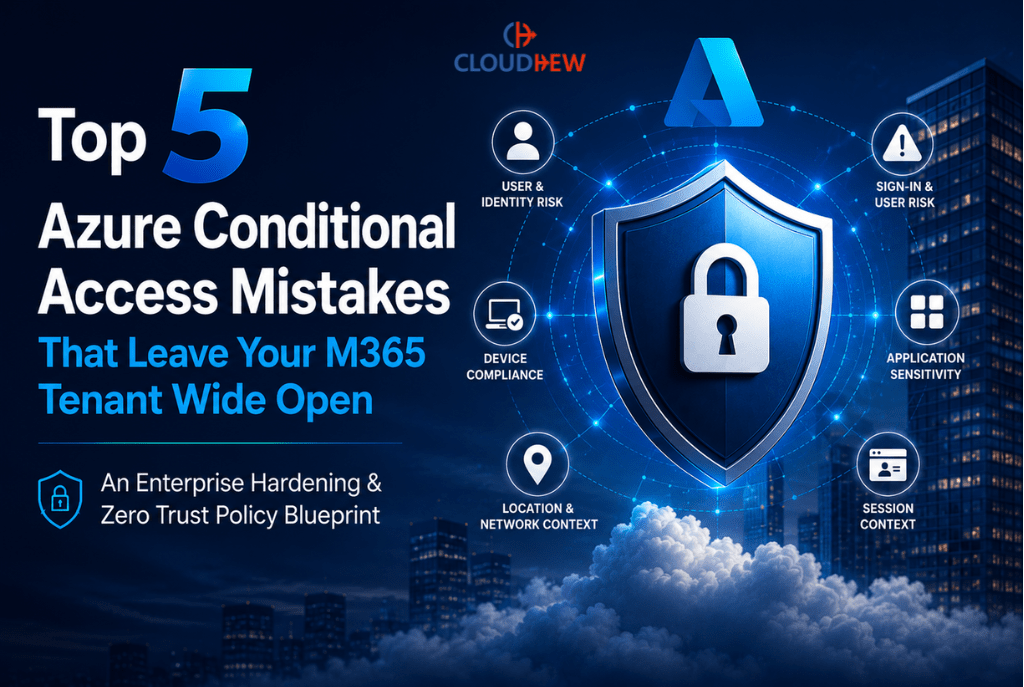
A common misconception among IT leaders is viewing Conditional Access as nothing more than a global MFA on/off switch. In a true Zero Trust model, it is a comprehensive policy framework designed to continuously evaluate access based on an array of rich signals, including:
- User and Group Risk: The organizational role, group memberships, and administrative privileges of the identity requesting access.
- Sign-in and User Risk Levels: Real-time risk data fueled by Microsoft Entra ID Protection, flagging anomalous behavioral patterns or leaked credentials.
- Device Compliance States: Checking whether a device is fully managed via Microsoft Intune, marked as compliant, or hybrid-joined to the corporate domain.
- Network and Location Context: Differentiating between verified corporate office networks, trusted public IP ranges, and high-risk geographic locations.
- Target Applications: Tailoring security restrictions based on the sensitivity of the specific cloud application or management portal being accessed.
- Session Context: Implementing real-time restrictions, such as blocking file downloads on unmanaged personal devices while allowing web-only access.
[ Signal Input Framework: User/Device/Location -> Entra Evaluation Engine -> Explicit Access Decision Enforced ]
When an enterprise designs these policies poorly, the consequences are binary and severe: they either leave wide architect architectural gaps that attackers easily exploit, or they accidentally lock out legitimate business users, causing widespread operational disruption. To execute this correctly, organizations must move away from ad-hoc rules and embrace a structured deployment strategy. This includes utilizing Microsoft’s comprehensive planning guidance, executing policies in report-only mode, establishing highly secure break-glass emergency accounts, standardizing policy naming conventions, and conducting routine architectural audits.
“Conditional Access is not a one-time configuration task. It is an identity security operating model.”
Mistake #1: Applying MFA Only to Some Users
One of the most frequent structural flaws discovered during a Microsoft 365 tenant assessment is the practice of limiting MFA requirements to specific subsets of the organization. Many enterprises enforce MFA strictly for global administrators or highly visible departments like finance and human resources, while allowing standard users, external contractors, guest accounts, and automated service accounts to authenticate with only a username and password.
The Risk
This asymmetric enforcement creates a dangerous vulnerability. Threat actors rarely target the most heavily guarded accounts on day one; instead, they target the path of least resistance. A regular employee’s account, devoid of any administrative roles, is highly valuable to an attacker. Once a single corporate mailbox is compromised via a password spray or credential stuffing attack, it serves as an ideal launchpad for internal spear-phishing campaigns, business email compromise (BEC), invoice fraud, and lateral movement. Furthermore, an attacker logged into an unprotected standard account can meticulously map the organization’s Microsoft Teams channels, exploit shared SharePoint directories, and spear-phish high-value targets from an authenticated internal address—completely bypassing external email security filters.
The Remediation & Implementation Steps
To build a resilient identity perimeter, organizations should implement a universal authentication baseline by enforcing MFA for all users across the tenant. Ensure your remediation follows these explicit architectural guidelines:
- Enforce Universal Coverage: Build baseline policies targeting all users, rather than adding groups piecemeal.
- Isolate and Protect Highly Privileged Roles: Create dedicated, separate policies specifically for administrative directories. For these accounts, require phishing-resistant MFA mechanisms (such as FIDO2 security keys or Windows Hello for Business).
- Govern External Identities: Ensure that guest users and external collaborators originating from cross-tenant relationships are bound by strict inbound MFA requirements.
- Audit and Minimize Policy Exclusions: Exclusions must be strictly limited to scenarios where technical limitations exist, and every exception must be thoroughly documented with compensating controls.
- Ditch Broad Location Bypasses: Avoid configuring named locations as broad, permanent MFA bypass rules. Attackers who compromise an on-premises workstation or exploit an exposed corporate VPN endpoint can easily leverage these location exceptions to compromise accounts without ever facing an MFA prompt.
Mistake #2: Excluding Too Many Users, Locations, or Applications
During the initial rollout of Microsoft Entra Conditional Access policies, project teams often run into friction from business units or technical compatibility issues with legacy software. To maintain momentum and avoid user tickets, administrators frequently add individuals, entire departments, or wide network ranges to policy exclusion lists. The mistake isn’t necessarily creating the exclusion to solve an immediate problem; it’s the widespread failure to review, manage, and deprecate those exclusions over time, turning temporary workarounds into permanent security gaps.
The Risk
Sophisticated attackers excel at scanning an enterprise’s external footprint to find configuration blind spots. If a senior executive is excluded from an MFA or device compliance policy to avoid user friction, that executive’s identity immediately becomes a prime target for executive impersonation and whaling attacks. Similarly, excluding broad blocks of ‘trusted’ public IP addresses—such as an entire corporate headquarters network or a legacy VPN pool—violates the fundamental tenants of Zero Trust architecture. If an attacker gains a foothold inside a branch office through an unpatched IoT device, or compromises a remote employee’s home router routed through a split-tunnel VPN, they can authenticate into the M365 tenant completely unchallenged, inheriting the trusted status of that network location.
The Remediation & Implementation Steps
Enterprises must transition away from treating policy exclusions as permanent features and instead manage them through a strict, audited exception lifecycle. Every single exclusion within your Microsoft Entra Conditional Access environment must be treated as a high-risk security exception that requires formal approval, documented justification, an assigned business owner, a defined expiration date, and explicit compensating controls.
- Maintain a Central Exclusion Register: Track every exception, linking it to an active IT service ticket containing the formal architecture sign-off.
- Review Exceptions Regularly: Audit all exclusion lists on a tight monthly or quarterly cadence to confirm the technical exception is still required.
- Build Dedicated Monitoring Rules: Implement high-priority alerts within your SIEM system or Microsoft Defender for Cloud Apps to monitor any authentication traffic originating from accounts placed on exclusion lists.
- Adhere to Least Exception Principles: Never exclude an entire user identity from a policy if you can limit the exclusion to a specific application, device, or network context instead.
Mistake #3: Not Blocking Legacy Authentication and Risky Client Apps
Many long-standing Microsoft 365 tenants still silently support legacy authentication protocols. These include older mail protocols such as IMAP4, POP3, MAPI, and SMTP auth, alongside older Office client communication methods. While an organization may have successfully migrated 95% of its workforce to modern authentication mechanisms, leaving these legacy endpoints active at the tenant level creates an immediate back door for attackers.
The Risk
The fundamental danger of legacy authentication protocols is their complete inability to interpret or enforce modern, interactive security challenges. Legacy protocols cannot prompt a user for multi-factor authentication, check device compliance states, or evaluate conditional access signals. Consequently, if legacy authentication remains unblocked in your tenant, an attacker can launch targeted password spraying and credential stuffing attacks directly against your users’ Exchange Online endpoints. If they guess a password correctly, the legacy protocol will authenticate the session and grant access to the mailbox—entirely bypassing any robust web-based MFA or device-centric Conditional Access rules you have carefully deployed.
The Remediation & Implementation Steps
To mitigate this risk, organizations must actively block legacy authentication across the entire Microsoft 365 tenant. Microsoft’s documentation highlights that policies can be precisely scoped to users, target resources, networks, conditions, and access controls—including client apps and explicit device signals.
- Analyze Your Authentication Logs: Before rolling out a blocking policy, thoroughly review your Microsoft Entra sign-in logs. Filter your queries specifically by client apps to pinpoint any legacy IMAP, POP, or legacy Office traffic currently communicating with your tenant.
- Identify and Modernize Dependencies: Isolate the specific users, legacy service accounts, or multi-function printer scanners that rely on older protocols. Upgrade these dependencies to modern alternatives.
- Deploy a Dedicated Global Block Policy: Create a comprehensive Conditional Access policy that targets all users, encompasses all cloud applications, explicitly selects ‘Legacy Authentication Clients’ under the Client Apps condition, and sets the access control enforcement to ‘Block’.
- Protect Critical Portals Unconditionally: Ensure that management entry points, such as the Azure Portal, Microsoft Entra admin center, and Microsoft 365 admin center, strictly require modern, phishing-resistant communication methods.
| Stop Leaving the Back Door Open. Legacy protocols remain one of the primary vectors for high-volume credential attacks. Talk to a CloudHew Microsoft Security Expert today to safely eliminate legacy authentication vulnerabilities without disrupting core business workflows. |
Mistake #4: Ignoring Device Compliance and Unmanaged Access
A common security gap in modern enterprise environments is relying entirely on MFA for cloud access while ignoring the health, management, and compliance state of the device hosting the session. In this configuration, as long as a user can provide their correct password and successfully approve a prompt on their mobile device, they are granted unrestricted access to corporate repositories from absolutely any machine in the world.
The Risk
While MFA is highly effective at validating a user’s identity, it provides zero assurance regarding the integrity or security posture of the endpoint device. If an employee accesses critical SharePoint document libraries, sensitive Teams channels, or OneDrive files from an unmanaged, malware-infected personal computer, the enterprise faces extreme risk. An attacker who has compromised that personal machine via an information-stealer trojan can easily capture active authentication cookies, harvest session tokens, or extract downloaded corporate documents directly from the local drive. Furthermore, without device-aware access controls, organizations fail to monitor or control where sensitive corporate data is being downloaded, locally synchronized, or permanently exposed.
The Remediation & Implementation Steps
To build an authentic Zero Trust architecture, organizations must seamlessly integrate Microsoft Entra Conditional Access with Microsoft Intune compliance frameworks. This ensures that access decisions are heavily weighted by the security health of the connecting endpoint.
- Establish Device-Aware Policies: Design distinct rules requiring that workstations accessing high-value data repositories are either marked as fully compliant within Microsoft Intune or configured as Hybrid Azure AD Joined devices.
- Implement Granular Session Restrictions: For scenarios where employee or contractor access from personal, unmanaged Bring Your Own Device (BYOD) endpoints is a business necessity, leverage Conditional Access app-enforced restrictions. This allows users to read and edit data via a secure web browser but completely blocks their ability to download, print, or sync files locally.
- Deploy App Protection Policies: For mobile infrastructure (iOS and Android), mandate the use of Microsoft App Protection policies. This ensures corporate data remains isolated within encrypted, managed application containers.
Securing Advanced Access Scenarios: Windows 365
For organizations deploying cloud-hosted environments like Windows 365 and Cloud PCs, Conditional Access policies must be meticulously designed. Administrators must ensure that users can securely sign in and establish a remote connection to their Cloud PC from external networks without breaking expected access flows or creating looping authentication prompts. Microsoft provides specific guidance for Windows 365 Conditional Access policy configuration. This includes targeting the “Windows 365” and “Azure Virtual Desktop” cloud apps within your policies to mandate strict MFA and risk evaluation when initiating a cloud desktop session, while applying a distinct set of compliance rules to the session inside the Cloud PC environment itself.
Mistake #5: Deploying Policies Without Report-Only Testing, Monitoring, or Governance
The final critical mistake is operational: deploying intricate Conditional Access policies straight into production mode without adequate testing, staging, or long-term governance. Driven by a desire to rapidly check a security compliance box, IT teams often configure new policies and immediately switch them to “On” across the entire enterprise.
The Risk
Enforcing untested conditional access rules can be catastrophic for business continuity. A minor logical error in a policy—such as misconfiguring an exclusion group, misunderstanding an application dependency, or applying an overly restrictive device compliance rule—can instantly lock thousands of employees out of their core productivity applications. Even worse, a catastrophic misconfiguration can inadvertently lock all global administrators out of the Microsoft Entra admin center, completely freezing your ability to manage the tenant. Conversely, a poorly written rule can fail silently, leaving security teams under the false assumption that a specific vulnerability is blocked when, in reality, the policy’s logic allows traffic to bypass enforcement entirely.
The Remediation & Implementation Steps
Microsoft strongly recommends planning Conditional Access deployments carefully to balance security and productivity. Effective policies enforce rigid controls only when strictly necessary, thereby minimizing unnecessary user friction and preventing operational disruption. To execute a secure deployment lifecycle, employ these core governance strategies:
- Conduct a Formal Design Workshop: Before building rules in the console, map out your entire identity security architecture on paper. Clearly define target user personas, application sensitivities, required device states, risk thresholds, and valid exceptions.
- Utilize Report-Only Mode Intentionally: When creating a new policy, always save it in Report-Only mode first. Monitor these logs for at least 7 to 14 days to capture and fix unexpected edge cases.
- Leverage the ‘What If’ Architecture Tool: Use the built-in Microsoft ‘What If’ simulation tool to test hypothetical login scenarios before rolling them out to live environments.
- Establish a Phased Pilot Rollout: Transition policies from report-only mode to ‘On’ by targeting a small, diverse pilot group that includes IT staff and representative business users before executing an enterprise-wide enforcement.
- Protect the Tenant with Break-Glass Accounts: Always maintain at least two dedicated, cloud-only emergency access (break-glass) accounts that are explicitly excluded from standard user MFA policies and kept securely in a physical vault.
- Incorporate Native Policy Templates: Utilize Microsoft’s verified Conditional Access policy templates to establish your initial security baselines safely and consistently, customizing the configurations to align with your actual risk profile.
Conditional Access Mistakes Checklist
Use this operational reference matrix to assess, audit, and remediate the core policy flaws inside your Microsoft 365 environment.
| Mistake | Business Risk | Recommended Fix |
| MFA applied only to admins | Attackers compromise standard users to execute internal phishing, BEC, and lateral movement. | Enforce a universal baseline policy requiring MFA for all users, including guests and external accounts. |
| Too many unmanaged exclusions | Permanent security blind spots that attackers can discover and exploit to bypass protections. | Implement a formal exception register with assigned business owners, clear justifications, and mandatory expiry dates. |
| Legacy authentication not blocked | Attackers use brute-force or password spray tactics against legacy endpoints to completely bypass MFA. | Deploy a global ‘Block’ policy targeting all legacy clients; migrate remaining legacy integrations to modern auth. |
| No device compliance requirement | Compromised personal or unmanaged endpoints can access and download sensitive corporate files. | Integrate Entra ID with Microsoft Intune; mandate compliant or hybrid-joined devices for accessing critical cloud applications. |
| No report-only testing | High risk of widespread user lockouts, broken critical application integrations, and operational downtime. | Always run new policies in Report-Only mode for 7–14 days; analyze telemetry before switching enforcement to ‘On.’ |
| No emergency access account | Misconfigured policies can permanently lock out all administrators, halting tenant management capabilities. | Configure two cloud-only break-glass accounts excluded from standard MFA; monitor them with immediate high-priority alerts. |
| No policy naming standard | Disorganized policy lists lead to overlapping rules, logical conflicts, and auditing difficulties. | Implement a clean prefix standard based on target persona, action, and app (e.g., CA-[All-Users]-[Require-MFA]-[All-Apps]). |
| No guest user policy | External vendor or partner accounts with weak credentials introduce unmonitored risk into the tenant. | Create targeted cross-tenant access policies that enforce inbound MFA and compliance checks on external identities. |
| No guest portal protection | Elevated administrative privileges are left vulnerable to session hijacking and advanced automated attacks. | Enforce strict, phishing-resistant MFA and managed-device requirements for all cloud administration portals. |
| No periodic policy review | Configuration drift, stale exclusions, and changing threat landscapes render policies ineffective. | Schedule formal quarterly configuration audits to refine policy logic, clean up exceptions, and align with Zero Trust. |
What a Strong Conditional Access Strategy Should Include
Achieving a high state of maturity within your Microsoft 365 identity landscape requires moving past basic configurations and building a comprehensive blueprint aligned with the Zero Trust framework. A mature Microsoft 365 Conditional Access strategy should include the following core pillars:
- Continuous Identity Risk Assessment: Utilizing automated sign-in and user risk signals to dynamically block or challenge suspicious connection attempts.
- Privileged Access Protection: Implementing hardened, phishing-resistant authentication boundaries around administrative roles and cloud management consoles.
- Legacy Authentication Remediation: Maintaining an absolute, tenant-wide block on outdated communication protocols to close off password-spraying pathways.
- Device Compliance Enforcements: Requiring valid Intune management states or hybrid domain verification before permitting interactions with high-sensitivity corporate files.
- External Identity and Guest Governance: Extending strict authentication baselines to external contractors, partners, and cross-tenant collaborations.
- Advanced Session Architecture: Leveraging app-enforced restrictions to allow secure, download-prohibited web access from unmanaged personal devices.
- Windows 365 and Cloud PC Access Optimizations: Ensuring streamlined, secure remote connections to virtualized desktop resources without introducing configuration loops.
- Rigorous Operational Testing Controls: Enforcing change control management using report-only validation, simulation tools, and dedicated pilot groups.
- Resilient Break-Glass Design: Protecting the organization against total administrative lockout through monitored emergency recovery pathways.
- Continuous Configuration Governance: Performing programmatic sign-in log analyses and formal quarterly policy alignment reviews.
How CloudHew Helps Secure Microsoft 365 Tenants
Securing a complex enterprise Microsoft 365 environment requires a deep understanding of identity architecture, device management, and user workflows. Misconfigurations can leave your data exposed to sophisticated attackers, while heavy-handed policies can disrupt business operations and inundate your helpdesk with support tickets.
CloudHew acts as your trusted partner in navigating this balance. We help organizations assess, design, implement, and govern their identity security architectures to ensure complete protection without introducing unnecessary friction for users. Our end-to-end consulting services include:
- Microsoft 365 Tenant Security Assessment: A comprehensive evaluation of your entire tenant configuration to discover hidden security gaps and vulnerabilities.
- Conditional Access Policy Audit: A deep-dive review of your existing access logic, exclusions, and rule interactions to eliminate gaps and redundancies.
- Entra ID Security Hardening: Optimizing your identity configuration, directory permissions, and threat detection parameters.
- MFA & Phishing-Resistant MFA Roadmap Planning: Designing and executing a smooth deployment plan for secure authentication, including FIDO2 and Windows Hello for Business.
- Legacy Authentication Remediation: Safely identifying, migrating, and disabling legacy protocols across your enterprise without breaking critical business systems.
- Intune Compliance Policy Alignment: Linking your device management state with your identity perimeter to enforce robust device-aware access controls.
- Windows 365 Access Security: Crafting optimized access paths for cloud-hosted environments to ensure secure, reliable remote work connections.
- Guest & External Collaboration Governance: Setting up secure boundaries for external users and partners interacting with your tenant.
- Admin Role Protection: Implementing strict privilege management boundaries and monitoring to secure high-value administrative credentials.
- Security Monitoring & Managed Operations: Providing continuous oversight, log analysis, and iterative policy updates to keep pace with evolving threats.
| TAKE CONTROL OF YOUR IDENTITY PERIMETER TODAY
Click Here to Request a Dedicated Microsoft 365 Conditional Access Assessment Let CloudHew’s senior enterprise architects evaluate your current access configurations, remove hidden architectural gaps, and successfully align your tenant with rigorous Zero Trust security standards. |
Conclusion
Conditional Access is one of the most powerful controls in Microsoft 365, but only when it is planned, tested, monitored, and governed properly. Leaving legacy back doors open, managing unverified exclusion pools, or ignoring the health of the devices accessing your network will inevitably lead to compromised parameters.
“Your Microsoft 365 tenant is only as secure as the access decisions protecting it. Conditional Access should not be treated as a checkbox — it should be treated as a core security control.”